Fashion Model Backgrounds: Professional Backdrop Library
200+ professionally designed backdrops for fashion photography.
ecomVance
Advanced AI for E-Commerce

What are AI Model Backgrounds?
AI Model Backgrounds is a technology that places fashion photography into any environment—from clean studios to exotic locations—using artificial intelligence. The AI matches lighting, shadows, and perspective for seamless integration that looks naturally photographed, not composited.
- Place models in any environment without reshooting
- AI matches lighting, shadows, and perspective automatically
- Studio, urban, nature, interior, and seasonal backgrounds
- Perfect for seasonal campaigns and geographic targeting
- Works with existing photos or AI-generated models
Key Takeaways
- 1Change backgrounds without expensive location reshoots
- 2AI automatically matches lighting and creates realistic shadows
- 3Support for studio, urban, nature, interior, and seasonal backgrounds
- 4Transform same shots into seasonal campaigns year-round
- 5Works best with transparent or clean-background model images
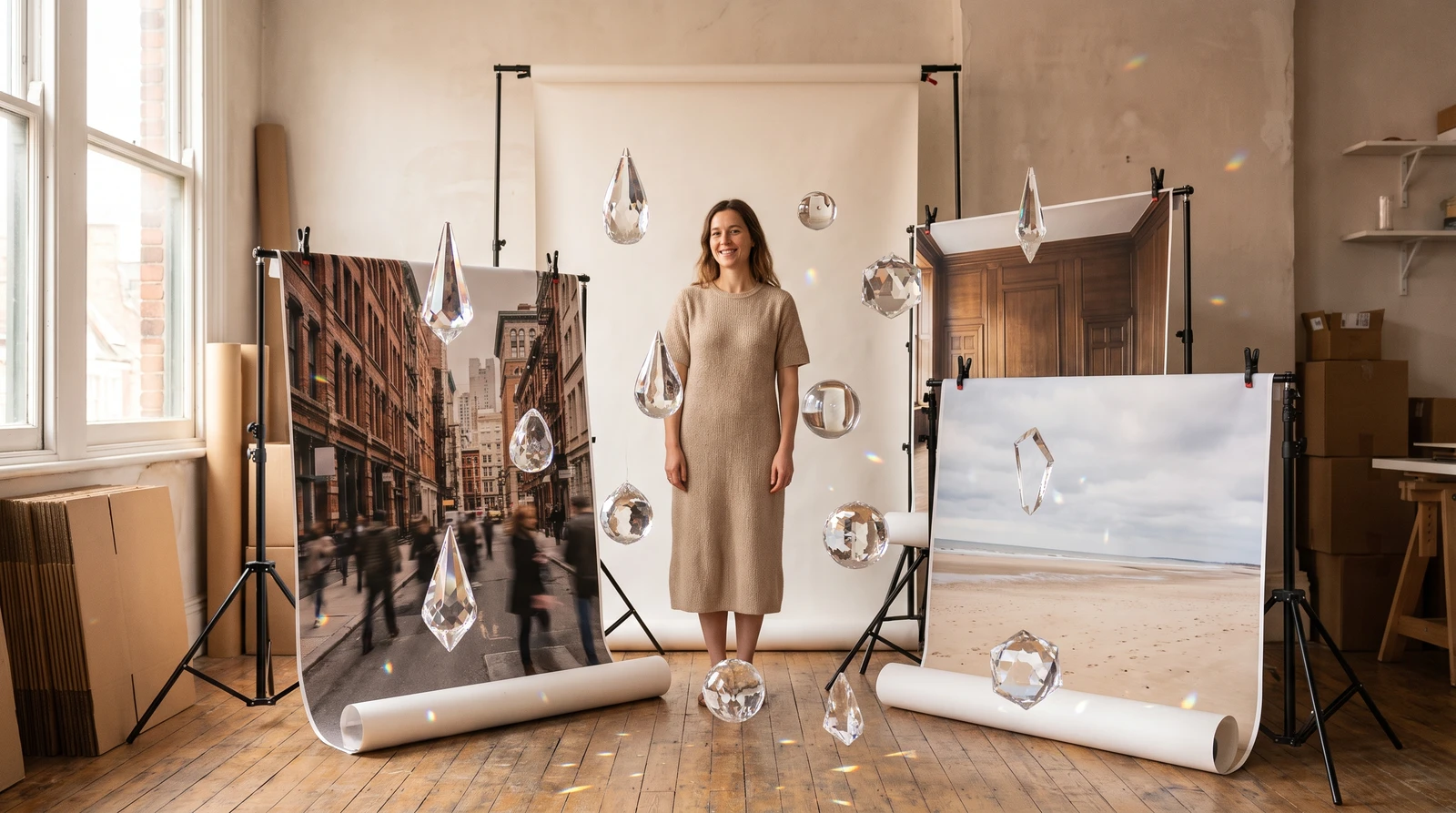
Even the perfect model shot can be ruined by the wrong background. Model Backgrounds lets you place your fashion photography in any environment—from clean studios to exotic locations—without reshooting.
The Background Problem
Fashion photography backgrounds dramatically impact how products are perceived. A casual dress on a beach feels different than the same dress in a studio. But shooting in multiple locations multiplies costs exponentially.
Model Backgrounds solves this by changing backgrounds after the fact—or generating complete model + background compositions from scratch. Combined with ecomFit's virtual try-on tools, you can create any fashion imagery imaginable.
Introducing Model Backgrounds
Model Backgrounds places your existing model photography (or AI-generated models) in any environment you can describe. Create lifestyle settings, studio backdrops, or exotic locations with perfect integration.
Seamless Integration
AI matches lighting, shadows, and perspective to make models look naturally placed in the new environment—not obviously composited.
How It Works
How to Use AI Model Backgrounds
Place your fashion models in any environment with these four steps.
Upload your model image
Add your model image with transparent or simple background. Use ecomAI's Background Removal first if needed to prepare the image.
Describe the background environment
Specify the background type (studio, urban, nature, interior), lighting conditions, mood, and any specific details you want included.
Configure output settings
Set your desired resolution and output format based on your intended use case—web, social media, or print materials.
Generate the composite
AI creates the final image with your model naturally integrated into the new environment, with matched lighting and realistic shadows.
Background Styles
| Style | Description |
|---|---|
| Clean Studio | Pure white, gray, or colored seamless backgrounds |
| Urban | City streets, modern architecture, industrial spaces |
| Nature | Parks, beaches, forests, mountains |
| Interior | Homes, offices, boutiques, cafes |
| Abstract | Gradients, textures, artistic elements |
| Seasonal | Holiday themes, seasonal settings |

Prompt Examples for Fashion Backgrounds
| Campaign Type | Background Prompt |
|---|---|
| E-commerce | Clean white seamless studio, soft shadow beneath feet |
| Summer campaign | Sunny beach scene, turquoise water, soft sand |
| Urban lifestyle | City sidewalk, modern buildings, morning light |
| Holiday | Cozy interior with holiday decorations, warm fireplace glow |
| Luxury | Marble lobby, modern architecture, elegant lighting |
Location Freedom
Shoot anywhere with any background. Change seasonal campaigns without reshooting. Create location-specific content for international markets.
Use Cases
Seasonal Campaigns
Transform the same model shots into different seasonal contexts:
- Spring: Blooming garden backgrounds
- Summer: Beach and outdoor scenes
- Fall: Autumn foliage and cozy interiors
- Winter: Snow scenes and holiday settings

Geographic Targeting
Create location-specific imagery for different markets. Show the same products in environments that resonate with each region's aesthetic preferences—essential for global fashion brands.
A/B Testing Backgrounds
Test whether studio shots or lifestyle backgrounds drive better engagement for your specific products and audience.
Best Practices
| Do | Don't |
|---|---|
| Use clean-edged model cutouts | Rough edges or halos |
| Match lighting direction | Conflicting light sources |
| Consider scale and perspective | Mismatched proportions |
| Include lighting details in prompt | Generic descriptions |
Getting Started
Model Backgrounds works best with model images that have transparent backgrounds or were shot on simple, easily-removable backgrounds. Use ecomAI's Background Removal first if needed.
Workflow Tip
Create a series of standard background templates (studio, urban, nature) and use them consistently for catalog cohesion while maintaining variety.
Explore ecomFit's Model Backgrounds and place your fashion photography in any environment imaginable.
Frequently Asked Questions
What are AI model backgrounds for fashion photography?
AI model backgrounds use artificial intelligence to place existing model photography (or AI-generated models) into any environment you describe—from clean studios to exotic locations. The AI matches lighting, shadows, and perspective for natural integration that doesn't look composited.
How does AI match lighting and shadows for backgrounds?
The AI analyzes your model image to determine lighting direction, intensity, and color temperature, then generates backgrounds that match these conditions. It also creates appropriate shadows and reflections to make the model appear naturally placed in the new environment.
What types of backgrounds can I create?
You can create any background type: clean studio (white, gray, colored), urban (streets, architecture), nature (parks, beaches, forests), interiors (homes, offices, boutiques), abstract (gradients, textures), and seasonal themes (holiday settings, summer scenes).
Do I need transparent background images?
Model Backgrounds works best with model images that have transparent backgrounds or were shot on simple, easily-removable backgrounds. You can use ecomAI's Background Removal tool first if needed to prepare your images.
Can I use Model Backgrounds for seasonal campaigns?
Yes, Model Backgrounds is perfect for seasonal campaigns. Transform the same model shots into different seasonal contexts—spring gardens, summer beaches, autumn foliage, winter snow scenes—without reshooting.
Related Articles

Introducing ecomFit: Revolutionizing Apparel E-commerce
Discover how ecomFit is transforming the way fashion brands create product imagery with AI-powered virtual try-on technology.

AI Background Removal: Clean Product Images in 5 Seconds
Remove backgrounds from product images instantly with AI. Get transparent PNG files ready for any platform. Just 20 credits per image with professional results.

AI Object Removal: Erase Unwanted Items from Photos
Intelligently remove unwanted objects while AI reconstructs the background seamlessly. 12-rule AI system ensures photorealistic results every time.